
The problem
Manual invoices and sums eat hours of your day
With Saydaliyati
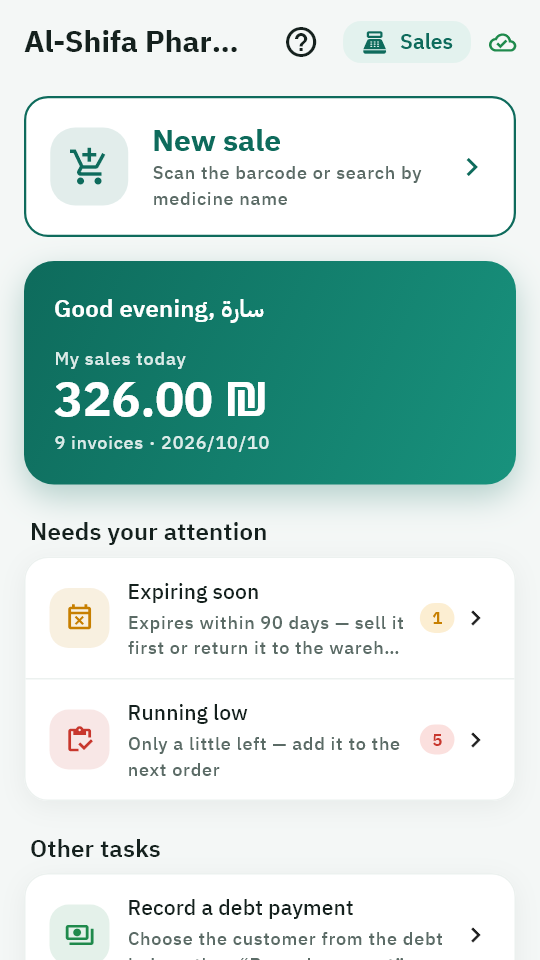
A full invoice in seconds: scan the barcode, pick the unit, and price and change are calculated for you.
For every pharmacy, in any country — in your currency and language
Barcode sales, stock with expiry dates, a debt book, payroll and reports — in one app on your phone that keeps working even when the internet is down.
A full 7-day trial — no card needed.
Why Saydaliyati?
The app is built around what really happens behind the counter every day.
The problem
Manual invoices and sums eat hours of your day
With Saydaliyati
A full invoice in seconds: scan the barcode, pick the unit, and price and change are calculated for you.
The problem
You find out a medicine ran out when a patient asks for it
With Saydaliyati
The “Needs” list gathers what ran out and what is running low before you miss it.
The problem
Medicines expire on the shelf
With Saydaliyati
Every batch has its expiry date, sales take the one expiring first, and you are alerted as many days ahead as you choose.
The problem
You only know your real profit at the end of the month
With Saydaliyati
Net profit after salaries and expenses for any period, in one tap, exported to PDF or Excel.
The problem
A debt notebook that gets lost or messy
With Saydaliyati
Every customer’s balance, statement and debt ageing, with entries that are never deleted or edited.
The problem
The internet goes down and sales stop
With Saydaliyati
The app works fully offline and sends everything on its own when the connection is back.
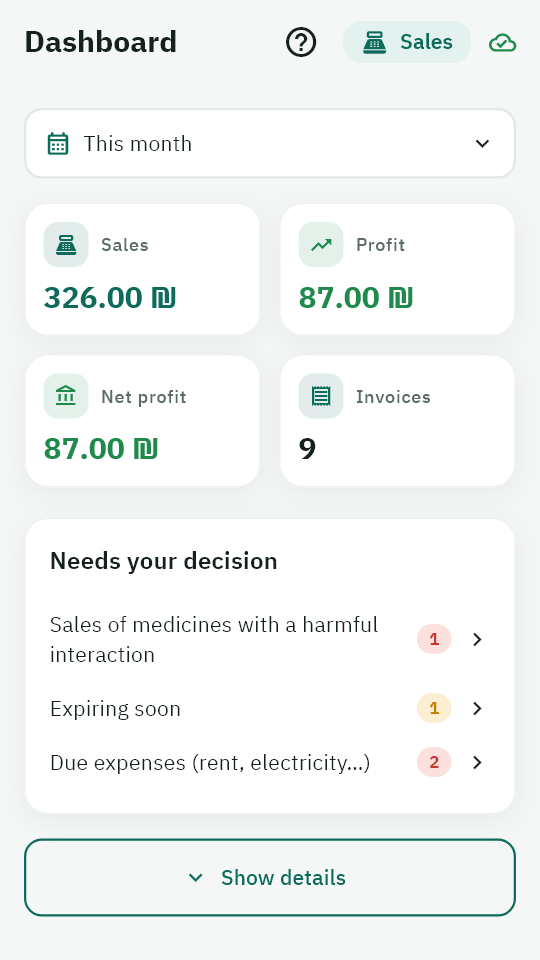
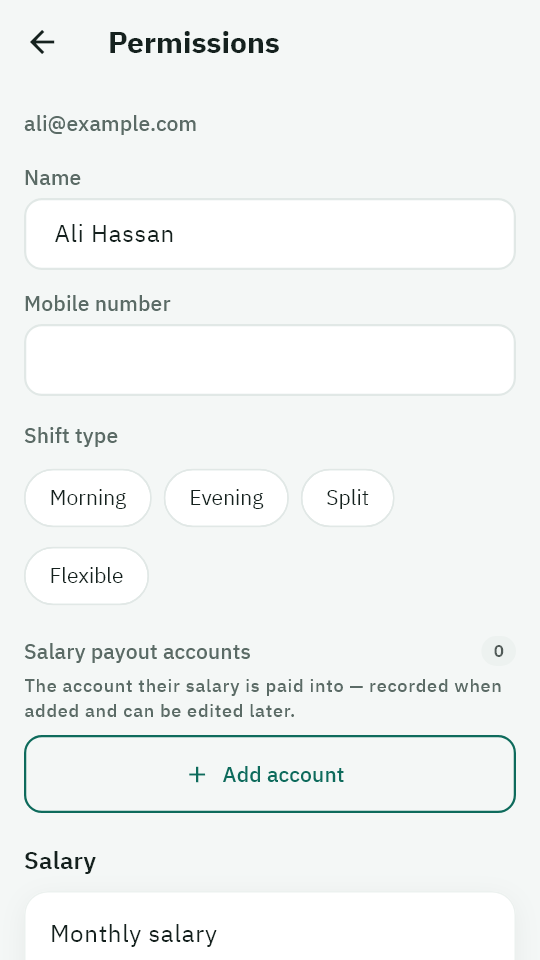
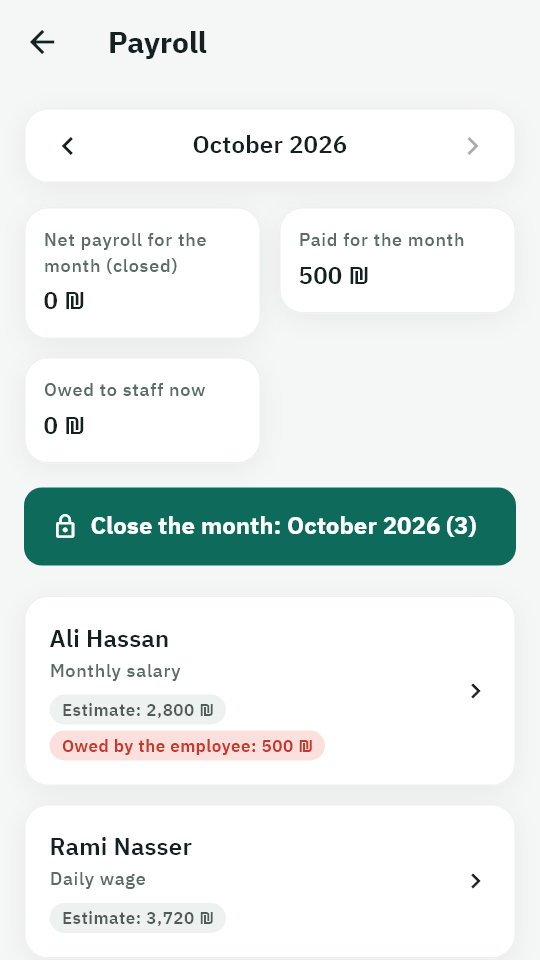
Real screenshots of the app — not illustrations.
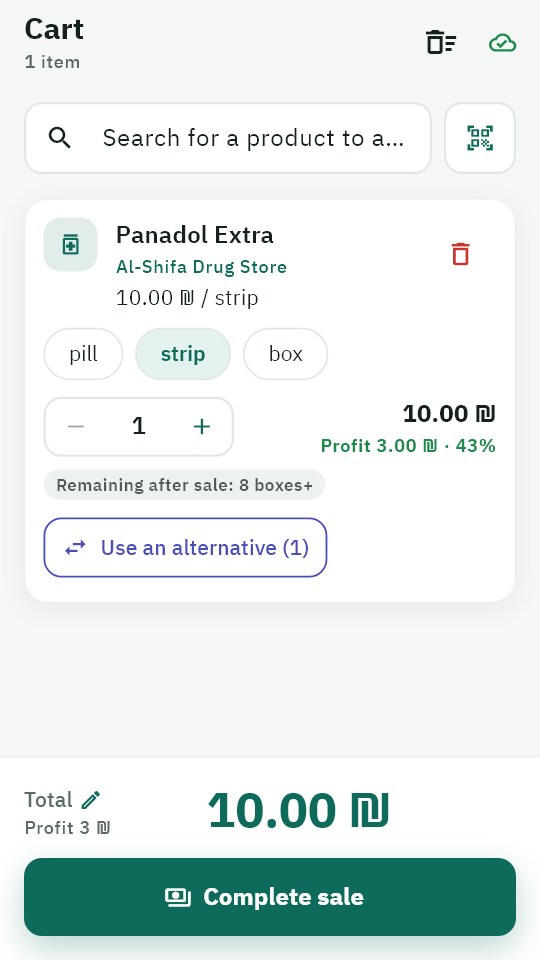
Selling
Scan the barcode or search by name, then pick a pill, strip or box. Price and change are calculated for you, and stock comes out of the batch that expires first.
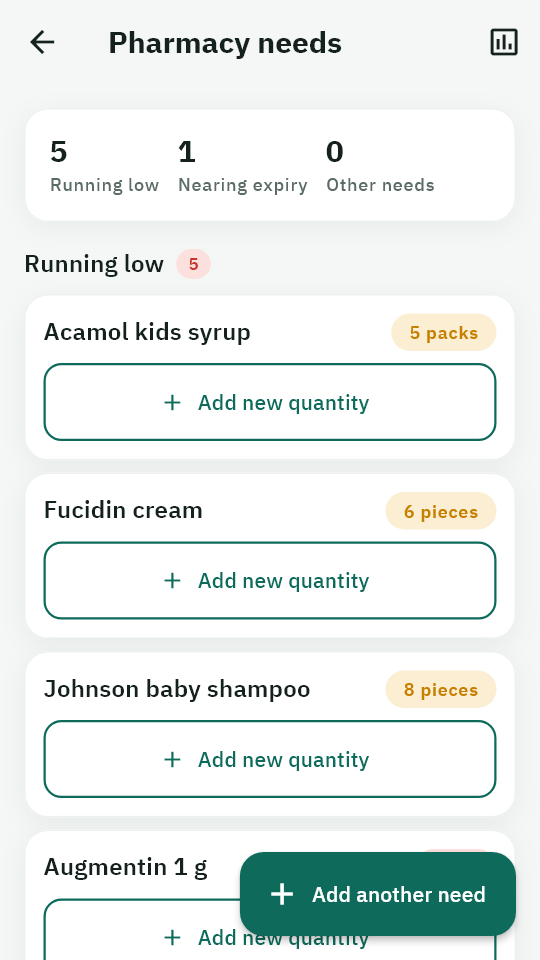
Stock
Every batch has its expiry date and purchase price. The “Needs” list gathers what ran out, what is running low and what expires soon, and stock-taking fixes differences with a recorded reason.
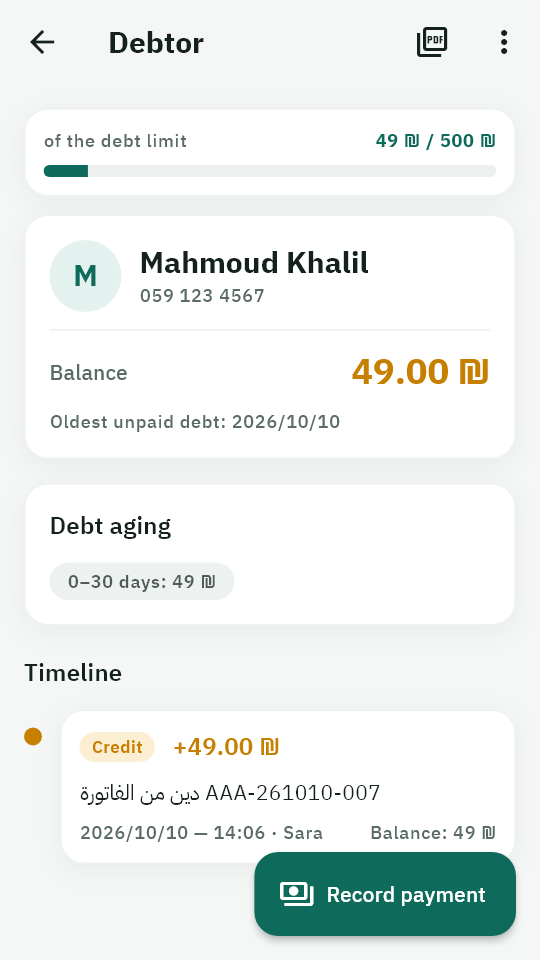
Debts
Every customer’s balance and dated statement. Full or partial payments, a credit limit, and reminders of old debts.
Reports
Sales, profit, net profit after salaries and expenses, best sellers and slow stock — for any period, exported to PDF or Excel.
Staff
Staff join with your pharmacy’s code and you approve them. You decide exactly who sells, who edits prices, and who sees profits and reports.
Payroll
A pay plan per employee (monthly, daily or hourly), advances deducted from pay, and a month close with a payslip for everyone.
From sign-up to your first report in one sitting.
On the website or in the app, then verify your email with a 6-digit code.
Read how in the guideBy scanning or by hand, with each batch’s quantity and expiry date.
Read how in the guideSearch by name or barcode and finish the sale in under a minute.
Read how in the guideSales, profit and stock at any time, in the app or on the web.
Read how in the guideEvery device holds a full copy of your pharmacy’s data, so it sells, counts stock and prints reports offline.
Every operation is saved on the phone instantly — no waiting, no error messages.
When the internet is back, operations go out in the background in order, without you tapping anything.
Changes reach your colleagues’ devices and the web panel, and quantities are right everywhere.
Built to work reliably even in the hardest conditions.
Every device holds a full copy of your pharmacy’s data: sales, stock-taking and reports without a connection.
Every operation is saved on the platform’s server when the device connects. Lost your phone? Sign in on another device and everything is back.
You decide what each employee sees and does, and every sensitive change is logged with who did it and when.
Every pharmacy is isolated from the others on the server, and the connection is encrypted from the device to the server.
0
internet needed to sell
14
ready-to-export reports
2
languages: Arabic and English
13
chapters in the user guide
Follows sales, profit and shortages from anywhere, and decides who sees what.
Sells fast, finds the alternative and knows what is about to expire — from their phone.
Two phones or five on the same data, with one correct stock for everyone.
Step-by-step help with screenshots from the app itself — from sign-up to closing payroll.
7-day free trial, then choose your plan. No contracts.
Save up to 15% with a longer billing period.
A small pharmacy with one or two devices.
$0 for 7 days
Then $12.75/mo
$12.75 / month
Billed $153 yearly
No card needed — cancel any time.
The most popular choice.
$0 for 7 days
Then $21.25/mo
$21.25 / month
Billed $255 yearly
No card needed — cancel any time.
A large pharmacy with a full team.
$0 for 7 days
Then $42.50/mo
$42.50 / month
Billed $510 yearly
No card needed — cancel any time.
The app works fully offline: sales, stock-takes and reports. Everything you record is saved on the phone and synced in the background when the connection returns, and the pharmacy’s other devices receive the update. Connect at least every few days so the device licence renews and your data is backed up.
No. An Android phone is enough, and its camera reads barcodes. The web panel is there if you want to follow from a computer.
Your country’s currency: you choose it when registering, and all amounts and reports use it. The platform subscription itself is billed in US dollars.
We remind you before the end, then your pharmacy works as usual during a grace period. After that it becomes view-and-export only until renewal — your data is never deleted, and what you sold before expiry is kept and synced.
From your pharmacy’s web panel: with PayPal for instant renewal, or with the local payment methods available in your country plus a receipt photo. You get an invoice for every payment.
You and your staff, according to the permissions you grant. Each pharmacy is isolated from the others on the server, not just in the app.
There is nothing to move by hand: sign in on the new device and your pharmacy’s data downloads from the server (internet needed on the first sign-in). Before leaving the old device, connect it to the internet for a minute so it sends anything not yet sent.
Yes, up to your plan’s number of users. Each employee signs in with their own account on their phone, you decide what they see and do, and every device works on the same data.
By WhatsApp, phone, email or the “Contact us” form on the website. Pharmacy owners can also message us from the “Support” page in their pharmacy panel and see the replies there.
Talk to us now, and we’ll help you get started step by step.
Call us
+972597606258Support hours
Saturday – Thursday, 8 AM – 2 PM
Send a message
Contact us